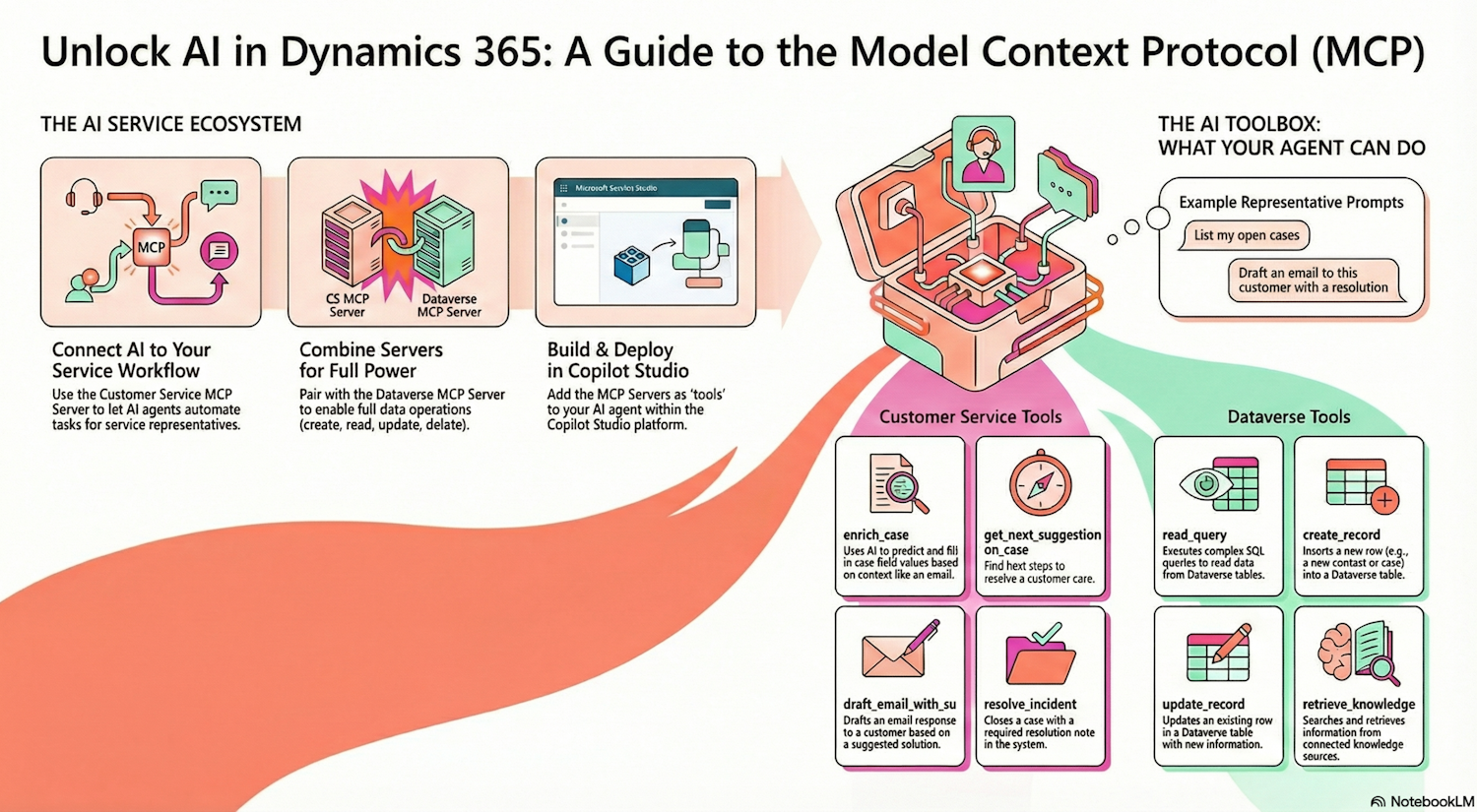
The Dynamics 365 Customer Service Model Context Protocol (MCP) server is a preview feature designed to help developers and representatives automate service workflows and resolve customer issues with higher efficiency. By connecting Dynamics 365 Customer Service to platforms that support the MCP protocol, you can build custom agents that streamline complex, cross-functional business operations.
Key Capabilities and Cross-Functional Automation
The true power of the MCP server lies in its ability to bridge different business applications. For example, an agent can engage with the Customer Service MCP server and then trigger an order generation through a Dynamics 365 Business Central MCP server. This creates a seamless experience across Sales, ERP, and Service systems.
Tools Available in the Preview
The server provides specific tools to handle case management and communication:
• enrich_case: Predicts case field values using AI-powered models based on activity context.
• get_next_suggestion_on_case: Finds the best next steps for a case.
• draft_email_with_suggested_response: Generates context-aware email drafts for sharing solutions or requesting info.
• send_email: Sends previously drafted emails stored in Dataverse.
• resolve_incident: Closes a case with the required resolution notes.
To enable full data management, you can also add the Dataverse MCP Server, which supports CRUD operations like create_record, update_record, and read_query.
Practical Samples for Representatives
Service representatives can use natural language prompts to interact with these tools directly:
• “List my open cases”.
• “Help me resolve this case”.
• “Draft an email to this customer with a resolution”.
• “Resolve this case and add the following resolution notes”.
• “Fetch me the intent of this case from the intent library”.
Configuration and Prerequisites
To get started, you need access to Microsoft Copilot Studio and specific administrative roles like System Administrator or Omnichannel Administrator. For advanced developers, these tools can also be accessed via external sources like Visual Studio Code.
Note: This is a preview feature and is not intended for production use. Additionally, Claude Desktop is currently not supported.
Transform Your Service Strategy Today Navigating the integration of AI agents and MCP servers can be complex. I am here to help you set up your environment, configure your agents, and optimize your service workflows.
📅 Connect to explore how Dynamics 365 and MCP can revolutionize your business.
Link Source: Connect to Dynamics 365 Customer Service MCP Server with Model Context Protocol (preview)